
UpTrajectory Review
Computerworld flags an easily overlooked new Android option that adds a layer of defense against the scams that actually hurt small-business owners: phishing, smishing, vishing, and now quishing. The piece sorts Android threats into three buckets. First, theft, where you protect the device itself with Android's native theft protection and security settings. Second, the theoretical threats security vendors hype, which timely software updates and basic common sense usually handle. Third, and most dangerous, plain trickery that convinces you to hand over information voluntarily. The new option, which the article introduces but cuts off before naming, targets that third category by interposing a warning between you and a suspicious link or request.
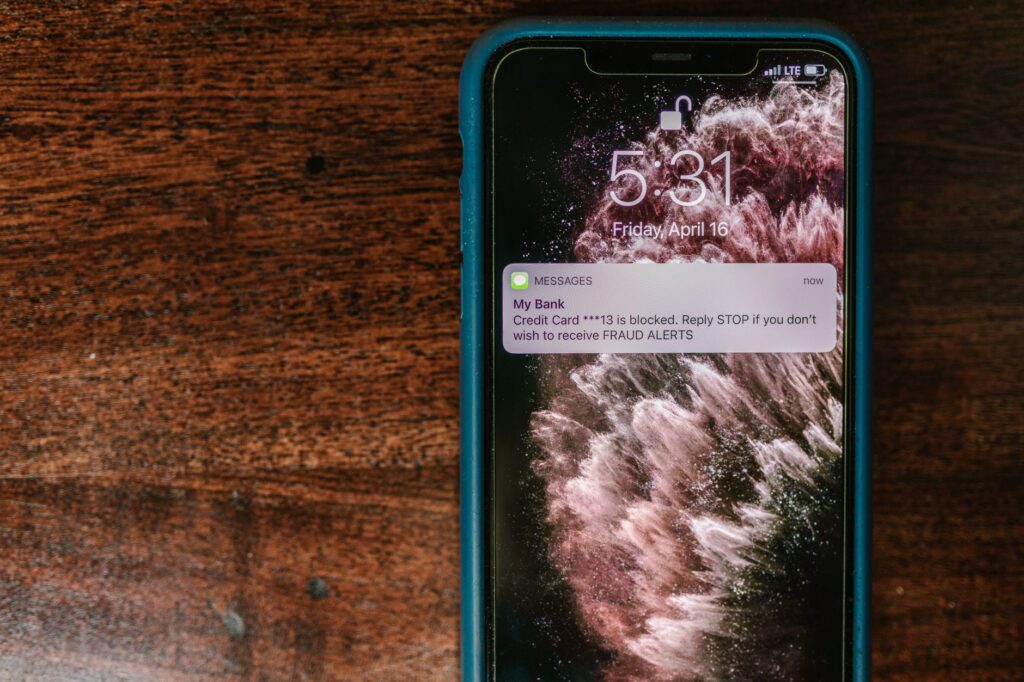
For a small-business operator, the third category is where the real money disappears. You handle payroll, vendor payments, customer data, and bank credentials on the same phone you use to answer texts from unknown numbers. One convincing fake invoice link, one smishing message that looks like your bank, one QR code in a parking lot that routes to a credential-harvesting page, and you have wired funds or exposed client records. Theft you can insure against; a moment of inattention you cannot. The article's point that even cautious people click convincing links in the right moment should land hard for anyone who has ever approved a payment while distracted.
What is genuinely useful here is the framing, not the novelty. Android has offered scam detection and spam protection in stages, but the article correctly identifies the under-reported problem: most owners never turn these features on, or never notice when a new toggle appears. The piece also pushes back on the security-software industry, arguing that overhyped threats sell subscriptions while the human-factor scams go unaddressed. We agree. The skeptical note worth adding is that no toggle replaces training. A warning that says 'you sure you want to do this' helps only if your team knows why the warning appeared and what to do next.
The second-order effects split by business size. A solo operator who enables the feature gains a cheap guardrail with little downside. A business with five or ten employees faces a harder problem: you must ensure every device, including personal phones used for work, has the same protections enabled and updated. That raises policy questions. Do you require Android devices to run a minimum version? Do you mandate that scam detection stay on, and how do you verify compliance without invading privacy? The feature also shifts responsibility. If a scam succeeds despite a warning, insurers and lawyers will ask whether the business enabled available protections.
Watch for Google to expand this capability into more automatic blocking, and for Apple to match it with its own on-device scam detection. In the meantime, open your Android security settings today and enable every scam, spam, and phishing protection offered, including the new option the article describes. Then brief your team: show them what a smishing text looks like, what a quishing QR code can hide, and what to do when a warning appears. Test your bank's and vendors' login pages for lookalike domains. The toggle buys you a second look; only habit makes that second look count.
The bottom line is that Android's new scam shield is not a product to buy but a setting to find, and the finding is the hard part. Set aside ten minutes this week, walk through every security option on the device you use for payroll and client communication, and turn on anything that stands between you and your own worst moment of inattention.
“your best bet is simply having as many layers of protection as possible in front of you” — Computerworld
Takeaway: Open your Android security settings today, enable every scam and phishing protection offered, and train your team to heed the warnings.
Excerpt from the original — Computerworld
When it comes to Android security, we’ve got three main types of threats to contend with as informed phone-owners determined to keep our data safe.
First, there are the theft-related worries — the breaches that happen when someone physically takes possession of your device and manages to get past its virtual gates. (Setting up Android’s native theft protection options and enabling all the right Android security settings in advance makes a massive difference in terms of proactive protection.)
Next, there are the many, many theoretical threats played up by companies hoping to sell you over-the-top security software. (Choosing a device that actually gets timely and reliable software updates and then maintaining a teensy shred of common sense is generally all that’s needed to keep these overhyped boogeymen at bay.)
And finally, every single one of us faces the most worrisome …